
MailerLite vs Kit: Which Free Plan Wins for Small Businesses?
Both tested on the free plan · November 2026
We opened a fresh account on each and did the same jobs: set up the account, make a signup form or page, add a test subscriber, write an email, and send it to our own inbox. Short answer: for most small businesses, MailerLite's free plan does more. Kit wins if your main goal is a good-looking signup page and you'll write every email by hand.
Quick answer
Pick MailerLite if you want a newsletter and signup form without paying, plus a welcome template that shows no paid badge.
Pick Kit if you're a creator who wants a polished landing page fast, and you're fine sending each email yourself.
Side by side, on the free plans
| MailerLite | Kit | |
|---|---|---|
| Card asked for at sign-up | No, and no checkout pop-up | No, but a full-screen card checkout appears after setup (close it with the X) |
| Starts on a paid-feature trial | Yes | Yes |
| Free plan shown in the in-app plan picker | No, only paid plans were listed | We didn't open Kit's picker; the pricing page explains the free plan |
| Signup forms / pages | Included free embedded form with a hosted link | Included free polished landing-page templates with a hosted address |
| Double opt-in on by default | Yes | Yes |
| Automatic welcome email | Not confirmed no paid badge on the simple template | Paid only sequences and automations are paid |
| A/B tests | Included free A/B split campaigns have no badge | Subject lines free; email-content tests marked "Pro" |
| Removes branding on free? | No, "Sent by MailerLite" badge in emails | No, "Built with Kit" on pages, emails and the confirmation page |
| Where our test email landed | Gmail inbox | Gmail spam (broadcast); inbox (confirmation email) |
| Sender when using a Gmail address | Rewritten onto MailerLite's domain | Broadcast kept our Gmail address "via" Kit's servers |
Setting up the same project on both
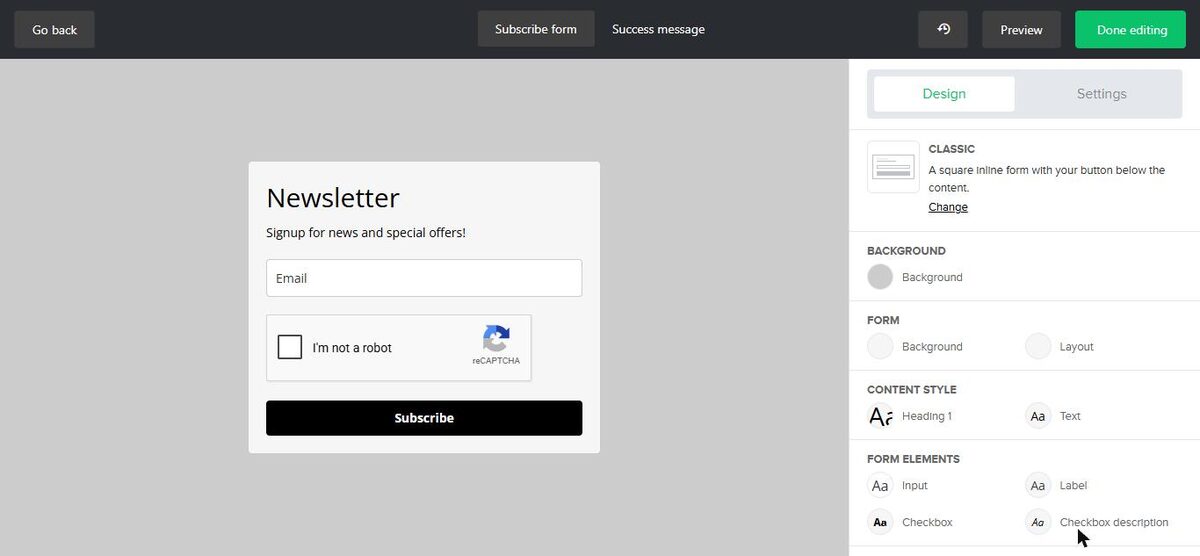
MailerLite asked more questions up front, including a physical mailing address it won't let you skip. Then it made us confirm our email before showing the dashboard. Its embedded form came ready to use, with reCAPTCHA and double opt-in already on.
Kit asked about our audience, brand and goals, then showed a full-screen card checkout for a paid trial. Once we closed it, building a landing page was quick and the templates looked great. It published to a free kit.com address in one click.
Where each one makes you upgrade
MailerLite keeps simple automations on the free plan, with limits on how many you can run and how long they can be. Multi-trigger automations, RSS campaigns, auto resend and multivariate tests are marked Premium. Removing the "Sent by MailerLite" badge is paid. The free plan also caps your list and monthly sends.
Kit puts all automation behind the paywall: no email sequences and no visual automations on free. Removing "Built with Kit" is paid, and so are email-content A/B tests and app integrations. The free plan also caps your list.
We don't print plan limits or prices because both companies change them. Check MailerLite's pricing page and Kit's pricing page for the current numbers.
The deliverability surprise
We sent one test email from each tool to the same Gmail inbox, using a Gmail "From" address. MailerLite's landed in the main inbox, with the sender moved onto MailerLite's own domain. Kit's broadcast landed in spam, still showing our Gmail address "via" Kit's servers.
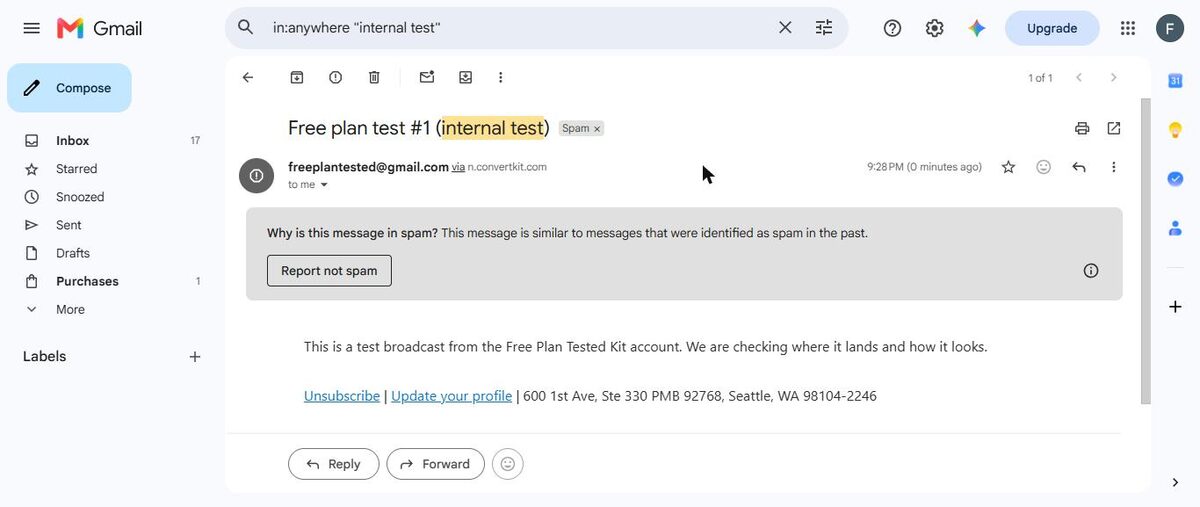
One test each isn't proof, and results vary by inbox and content. The lesson is the same for both tools, though: set up your own domain before you send to real subscribers.
Which one fits your situation?
You run a local business (a shop, a studio, a service). You want a signup form on your website and a monthly email. MailerLite fits better. Its embedded form drops onto a website, and its simple welcome template shows no paid badge. MailerLite also asked for a mailing address during setup and put it in the email footer for us, which saves a step.
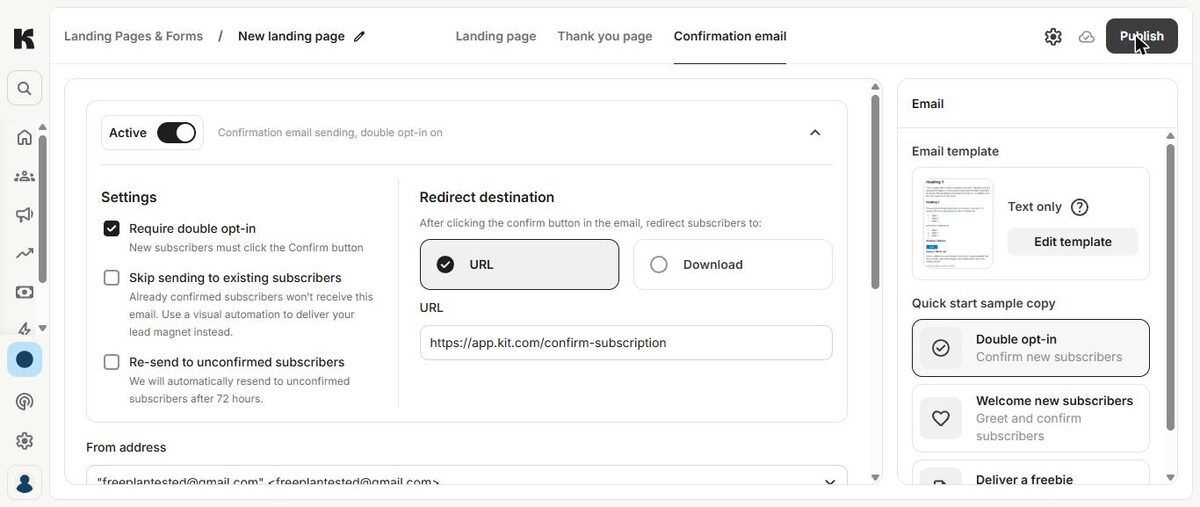
You're a coach or course creator. You want a page that turns visitors into subscribers, maybe with a free guide. Kit's landing pages look more polished, and the confirmation step can send people straight to a download. But on Kit's free plan, nothing goes out automatically after that. If you want a follow-up series, MailerLite's free automations get you further.
You're a writer starting a newsletter. You'll mostly send one email at a time. Both work. Kit's landing-page templates are a nice head start. MailerLite's test email reached the inbox in our test. Either way, plan to connect your own domain.
Fixes to make on day one
Whichever you pick, these small steps came out of our tests:
- Close Kit's checkout pop-up with the X if you only want the free plan. You don't need a card.
- Ignore MailerLite's in-app plan list when checking what's free. Use its pricing page instead.
- Add your own mailing address in Kit before sending. Otherwise the footer shows Kit's address.
- Set a redirect after confirmation in Kit, so new subscribers land on your page instead of Kit's promo.
- Edit MailerLite's starter welcome email to add an unsubscribe link and real button links. It won't activate without them.
- Watch for Gmail "+" addresses if you import a list into MailerLite. They get flagged, and you have to import them by hand.
What we haven't tested yet
We didn't test either tool's selling features, MailerLite's website builder, or connecting a custom domain. We also haven't seen what each account looks like after its trial ends. We'll re-test and update this page when we do.
Our pick for small businesses
MailerLite. On the free plan you get a working signup form and regular newsletters. Its simple welcome template shows no paid badge, while Kit marks sequences as paid. We'll confirm the welcome email after MailerLite's trial ends. Our MailerLite test email also reached the inbox. Just plan for the "Sent by MailerLite" badge, and fix the starter welcome template before you switch it on. Our MailerLite free plan review covers that step.
Choose Kit instead if you're a creator whose first goal is a beautiful signup page, and you'll write each newsletter yourself. Read our Kit free plan review first, and change the default confirmation page so new subscribers don't see a Kit ad.