
beehiiv Free Plan Review: Can You Grow a Newsletter for Free?
Tested on the free plan · November 2026
We set up a beehiiv account on the free plan, branded it, and sent a test post. Then we switched on a welcome email and signed up a test reader through beehiiv's free website. Short answer: yes, you can start and grow a newsletter on beehiiv for free. You get a hosted website and an automatic welcome email. Bigger automations, your own domain and earning from ads all cost money.
Our verdict
Good fit for: a writer or creator starting a newsletter from scratch who wants a free website and a welcome email without setting up anything else.
You'll outgrow it when: you want multi-step automations, your own domain, beehiiv's ad income, or emails without the "Powered by beehiiv" badge.
What we built
We renamed the publication to our brand, added a short description and our logo, and wrote a short test post. Then we sent it to our own inbox, wrote and switched on a welcome email, and signed up a test address through beehiiv's hosted subscribe page. Every point below comes from our test notes and screenshots.
The first thing to know: it's really free from day one
This is the biggest difference from MailerLite and Kit. Both of those started our accounts on a trial of their paid features. beehiiv didn't. The top of the dashboard said "Free plan" from the start, with an Upgrade button beside it. What you see on day one is what you keep.
You will see a lot of upgrade prompts, though. More on that below.
What's included free
| Feature | Free plan | Notes from our test |
|---|---|---|
| Hosted newsletter website | Included free | Clean subscribe page with our logo and name |
| Sending posts by email | Included free | Our test landed in Gmail's main inbox |
| Welcome email | Included free | One automatic email to new subscribers, switched on with no paywall |
| Editing your beehiiv address | Included free | One handle sets both your site address and your sending address |
| Multi-step automations | Paid only | You can build them, but activating needs the Lite or Pro plan |
| Custom domain | Paid only | "Custom domains are part of a paid plan" (Lite) |
| Ad network earnings | Paid only | Ad offers are shown, but claiming them needs Lite |
| Removing "Powered by" badges | Paid only | Needs Pro, a higher tier than Lite |
| Podcasts, digital products, recommendations | Not tested | On our list for the re-test |
The welcome email works on free
On the Emails settings page, the welcome email switch was greyed out at first. That's not a paywall. It just needs an email written before it can turn on. We opened the editor, wrote a short message, added a subject line and preview text, and published it. Then the switch turned on.
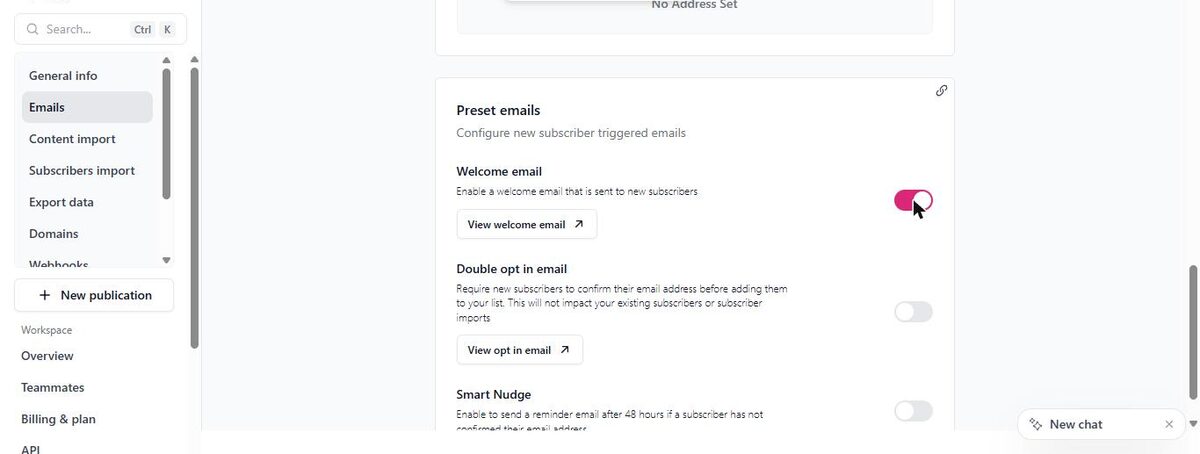
Then we signed up a test address on beehiiv's hosted page. It said "Subscribed!" right away, and the welcome email reached our Gmail inbox within seconds.
That's a real plus. Kit's free plan has no automatic emails beyond the confirmation. MailerLite's free plan has simple automations, but its starter welcome template needed fixing before it would switch on.
Two settings to change right away
Double opt-in is off by default. Our test address joined instantly, with no confirmation email and no CAPTCHA. That's smooth for readers, but it means anyone can add any email address to your list. MailerLite and Kit both had double opt-in on by default. beehiiv lets you turn it on in the same Emails settings, along with a "Smart Nudge" reminder for people who haven't confirmed.
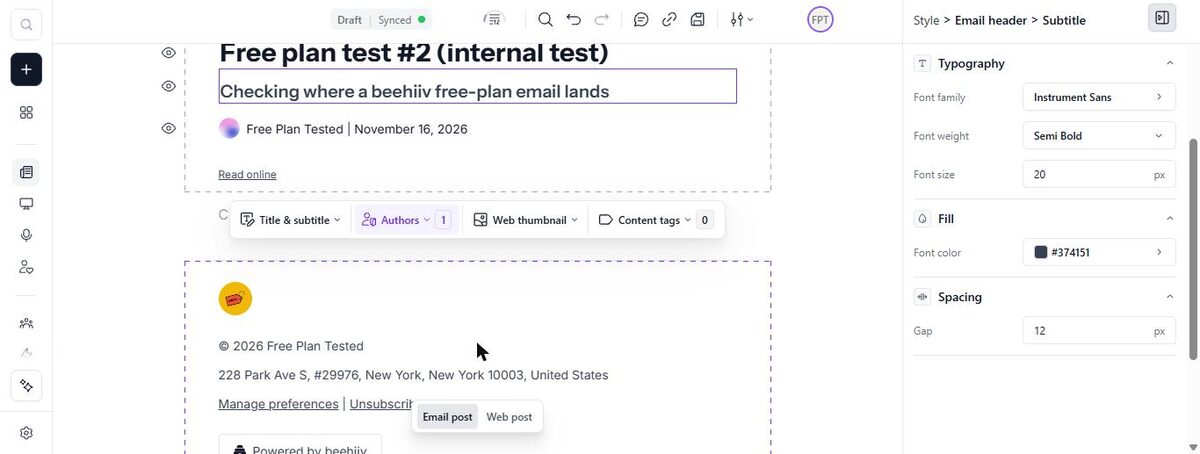
Add your mailing address. We hadn't entered one, so beehiiv put its own New York business address in our email footer. Add yours under Settings, then Emails.
Where the paywall hits
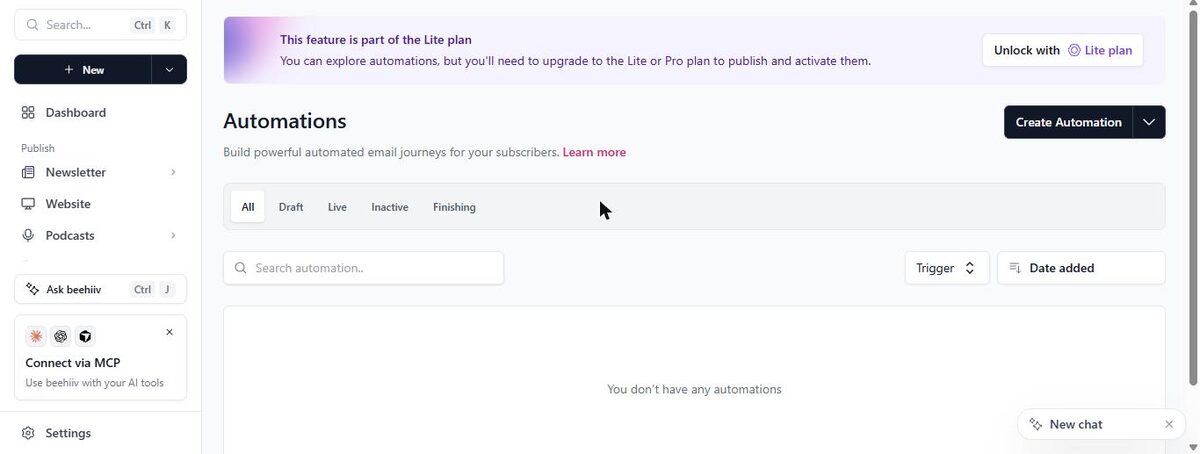
Automations. The Automations page said the feature is part of the Lite plan. You can build an automation to explore, but you can't publish or activate it without upgrading.
Your own domain. On free, your site and your sending address use a beehiiv address. Connecting your own domain needs the Lite plan.
Ad income. The dashboard and the post editor both show ad offers from named advertisers, with what each pays. Every offer was locked behind the Lite plan.
Branding. Removing the "Powered by beehiiv" badges needs the Pro plan, which sits above Lite.
List size. The free plan caps your subscribers. beehiiv's pricing page lists the current cap and says email sends are unlimited.
Expect upgrade prompts
beehiiv nudges you a lot on the free plan. Along with the locked ad offers, the top bar showed a discount on paid plans with a countdown timer. The post editor opened with an "Earn revenue with this newsletter!" banner. None of it stops you from using the free plan. But if countdown offers make you feel rushed, know that beehiiv's pricing page calls the free plan "Free forever".
What we liked
- A true free plan from day one, with no trial to fall off
- A free hosted website with a clean subscribe page
- A welcome email that works on free
- Our test post and welcome email both landed in the inbox
- Changes to name and logo save instantly
What held us back
- Double opt-in is off by default
- No custom domain on free
- Multi-step automations need a paid plan
- Frequent upgrade prompts, including a countdown discount
- Removing the badge needs a higher tier than the other upgrades
beehiiv free plan vs. the alternatives
Next to MailerLite, beehiiv gives you a full newsletter website for free and skips the trial, while MailerLite gives you more automation on free. Next to Kit, beehiiv's free welcome email is the big win. For a side-by-side of the other two, see our MailerLite vs Kit comparison.
Should you upgrade?
Stay on free if you're launching a newsletter, you want a free website for it, and one welcome email is enough automation.
Think about upgrading if you want automations beyond the welcome email, your own domain, or ad income. The Lite plan covers those. Removing beehiiv's badge needs Pro. Current prices are on beehiiv's pricing page.
Ready to try beehiiv? A writer or creator starting a newsletter from scratch who wants a free website too.
Try beehiiv free